If you're trying to log into Antigravity IDE and getting hit with the frustrating error — "There was an unexpected issue setting up your account. Your account is not eligible for Gemini Code Assist for individuals at this time" — don't worry, you're not alone. This is a common issue that has a simple fix.
This guide will walk you through the exact steps to resolve it. You can also watch the full video tutorial below:
What Does This Error Mean?
When you try to sign in to Antigravity IDE with your Google account, you may see a screen like this:
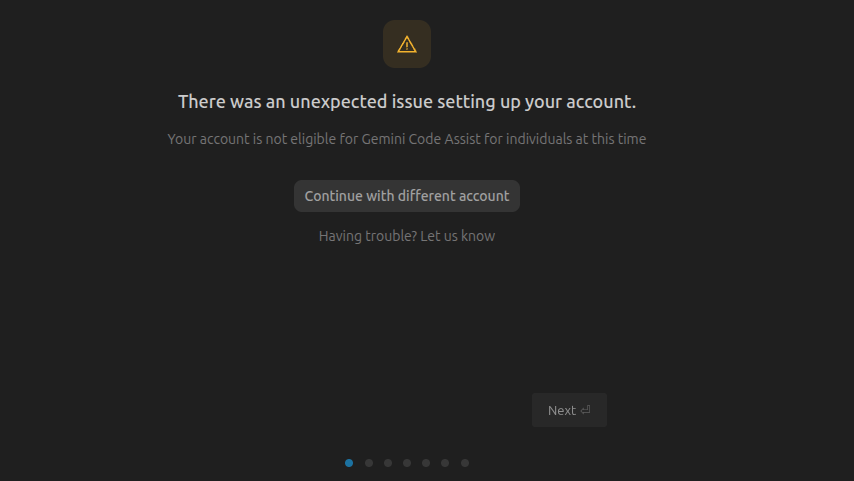
This error means your Google account hasn't completed the required identity verification that Google requires for Gemini Code Assist access. The IDE itself doesn't provide a way to complete this verification — but Antigravity 2.0 does.
Step-by-Step Fix
Step 1: Install Antigravity 2.0
Download and install Antigravity 2.0 (the standalone app, not the IDE). You can find it on the official Antigravity website or your platform's app store.
Step 2: Log In With the Same Gmail
Open Antigravity 2.0 and sign in using the exact same Google/Gmail account that is showing the error in Antigravity IDE. This is important — it must be the same account.
Step 3: Trigger the Verification Prompt
Once logged in, simply type "hi" in the chat and send it. You may need to send it a couple of times. After a moment, you should see the "Verification required" banner appear at the bottom of the screen:
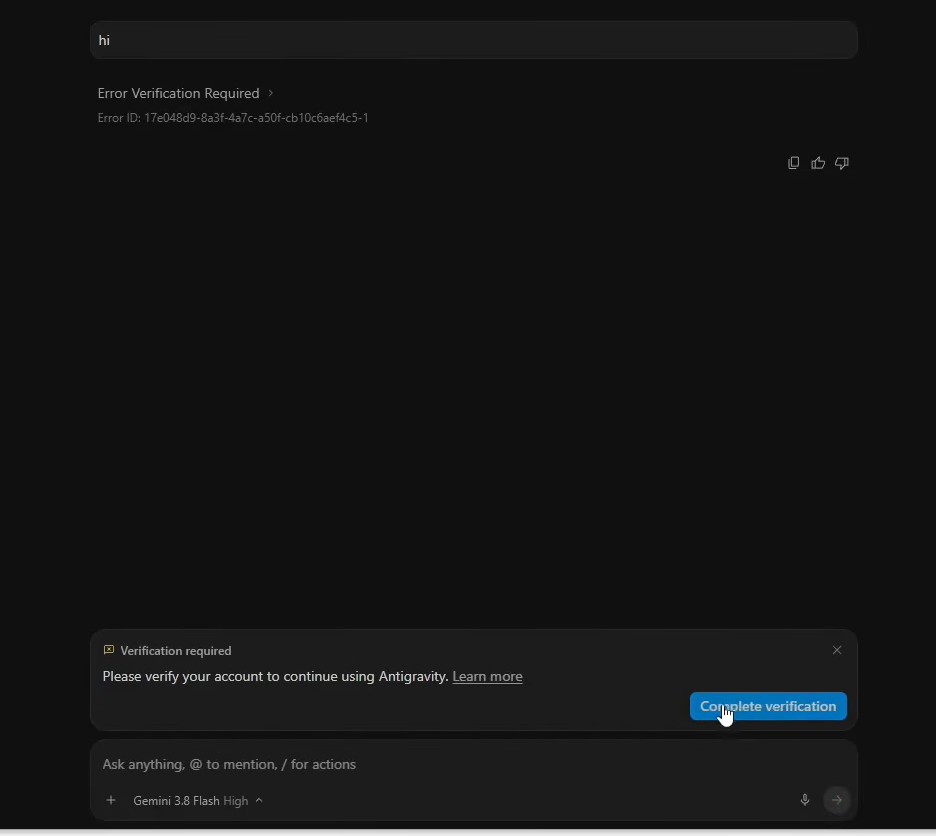
The banner will say: "Please verify your account to continue using Antigravity."
Step 4: Complete QR Code Verification
Click the blue "Complete verification" button. This will open a QR code page in your browser.
- **Scan the QR code** with your phone's camera or QR scanner app.
- It will show a **verification link** — tap/click on it.
- Follow the on-screen instructions to **verify your identity**.
That's it! The verification is now complete.
Step 5: Return to Antigravity IDE
Once verification is done:
1. You can **close or uninstall Antigravity 2.0** if you don't need it.
2. Open **Antigravity IDE** again.
3. Sign in with the **same Gmail account** you just verified.
The error should be gone and you'll be able to use Antigravity IDE normally!
Quick Summary
| Step | Action |
|---|---|
| **1** | Install Antigravity 2.0 (not IDE) |
| **2** | Log in with the same Gmail having the issue |
| **3** | Type "hi" in chat until the verification banner appears |
| **4** | Click "Complete verification" → Scan QR code → Verify on phone |
| **5** | Close Antigravity 2.0 → Re-login to Antigravity IDE |
Video Tutorial
If you prefer a visual walkthrough, watch the full fix in action:
Why Does This Happen?
Google requires account verification for Gemini Code Assist access as a security measure. New accounts or accounts that haven't been verified through the proper flow will be blocked. The issue is that Antigravity IDE doesn't have the verification UI built in, but Antigravity 2.0 does — so you simply use it as a one-time bridge to complete the verification.
Once your account is verified, it stays verified across all Antigravity products, so you only need to do this once.